Audience Measurement
Measure viewing time and gaze-based attention around a display, with facial expression estimates. Build the results into your own analytics.

May I use Google Analytics to understand which pages and demos are useful? It’s optional. You can change your choice anytime in the footer. About cookies
Gaze & attention · Full source code
Estimate head pose and eye gaze direction from a webcam, with facial landmarks and eye openness measurements.
Checkout and downloads via Payhip. Applicable taxes calculated at checkout. Commercial license; no support or custom integration included.
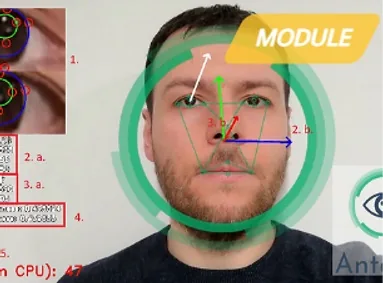 ▶ Watch the recorded demonstration
Video loads only when you choose to play it.
For developers exploring gaze-based interaction, attention analytics or research prototypes. The engine provides a foundation you can adapt to your own geometry and interaction model.
The output is a gaze direction estimate, not a calibrated screen coordinate. Mapping gaze to a screen or physical target requires your own calibration and integration. Validate accuracy for camera distance, pose and lighting.
Inspect the public code reference to understand the implementation before purchasing.
Integration essentials
License & handover
You may study and modify the code, integrate it into your own product that adds substantial value, and sell that product under the software license.
The supplied source must remain private. You may not resell the software as a standalone library, SDK or toolkit. Third-party components retain their own licenses.
Installation, integration, consulting, guaranteed fixes and ongoing maintenance are not included. Updates are discretionary. Review the support policy before checkout.
Digital sales are final except where required by law. Read the purchase FAQ.
Related engines
Each engine is a separate purchase. Combining them requires integration.
Measure viewing time and gaze-based attention around a display, with facial expression estimates. Build the results into your own analytics.
Classify visible facial expressions in a camera feed and explore the estimates in your own visualization or analytics.
Add action-based liveness checks to your face verification flow. Ask for blinks or head turns and check the response.